Your camera stopped mid‑record. The file will not open.
The footage is still in there. A flat battery, a pulled card or a crash leaves every frame written to disk and only the index missing, and without that index no player will touch the file. Cinesalve rebuilds the index.
The check runs in your browser on any computer, Windows included, and nothing is uploaded. It tells you exactly how many frames survived, free. The app recovers them: $69, once, no subscription.

Know it will work before you buy
The checker on this page reads your damaged file and tells you exactly how much of it survived — the frame count and the running time, measured with the same engine the app uses. It runs in your browser, on any computer, and costs nothing.
So you see the answer for your own file, on your own machine, before you spend anything. Then the app rebuilds it.
How it works
- Check the file here first, free, and see how many frames are recoverable.
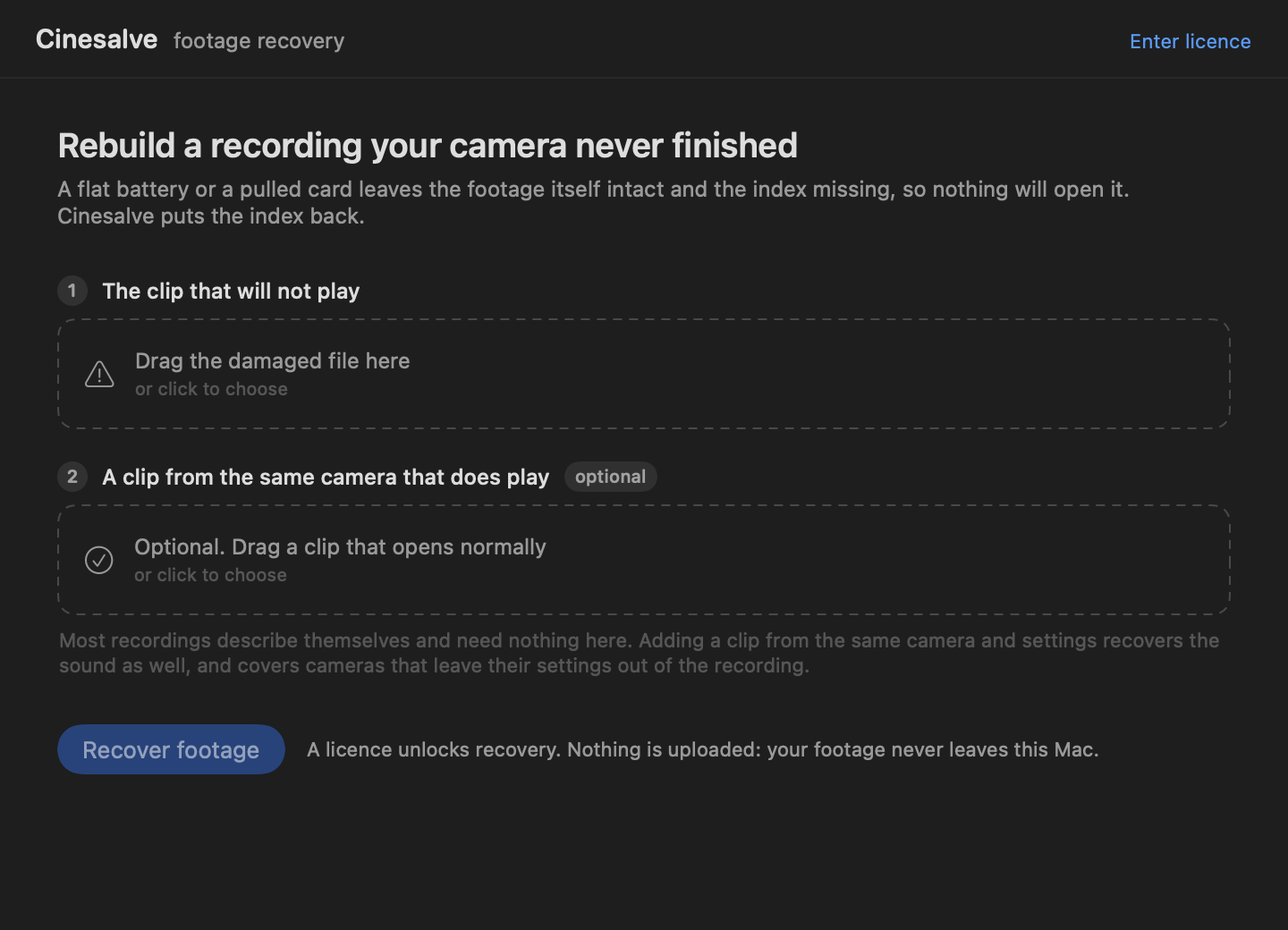
- Drop it into Cinesalve. GoPro recordings carry their own codec configuration and are read on their own, in both the H.264 and the HEVC modes the range records; the ones that do not ask for any clip from the same camera that plays, and read it from there.
- The recording is rebuilt and saved, playable again.
Nothing is uploaded. Your footage never leaves your Mac and there is no account. Activating a licence checks it once online; after that the app works with the network switched off. Damaged recordings are often the only copy of something private, and they should not have to travel to a stranger’s server to be read.
How exact is the recovery
Exact, on everything measured so far, including footage written by real cameras. The test compares a repaired file against the original it was cut from and counts a frame as recovered only when it lands at the same position and the same size the camera wrote. A frame decoded from a repaired file is byte‑for‑byte identical to the same frame in the original.
Real GoPro recordings, straight off the cameras, recovered from the damaged file on its own with no reference clip: every frame exact, the codec configuration rebuilt identical to the real one, and no decoder errors.
| Real camera footage | Frames recovered | Exact | Decode errors |
|---|---|---|---|
| GoPro HERO5 | 456 / 456 | 100% | 0 |
| GoPro HERO6 | 425 / 425 | 100% | 0 |
| GoPro HERO6, second take | 263 / 263 | 100% | 0 |
| GoPro HERO7 | 170 / 170 | 100% | 0 |
| GoPro HERO8 | 323 / 323 | 100% | 0 |
| GoPro Karma | 200 / 200 | 100% | 0 |
| GoPro Fusion | 160 / 160 | 100% | 0 |
| GoPro MAX | 175 / 175 | 100% | 0 |
| GoPro MAX, 360 mode (dual lens) | 175 / 175 | 100% | 0 |
| GoPro HERO6 with BLE | 181 / 181 | 100% | 0 |
| GoPro HEVC, 1080p 59.94fps | 217 / 217 | 100% | 0 |
| GoPro HEVC, second take | 89 / 89 | 100% | 0 |
Recordings that do not state their own configuration are detected automatically and read it from any working clip from the same camera. The last column says what each measurement here was made against:
| Real camera footage | Frames recovered | Exact | Reference |
|---|---|---|---|
| Sony FDR-AX100E, 4K | 1488 / 1488 | 100% | its own full recording |
| DJI Mavic 3 Pro, 4K | 722 / 722 | 100% | a different take |
| iPhone 11, HEVC | 484 / 484 | 100% | a different take |
| Canon EOS 5D Mark II | 208 / 208 | 100% | a different take |
| QuickTime, Apple's own muxer | 420 / 420 | 100% | a different take |
| 1080p consumer camera | 1356 / 1356 | 100% | a different take |
| GoPro HERO6, cut at 85% | 603 / 603 | 100% | a different take |
And the same measure against files encoded on a computer, across resolutions, frame rates and cut points:
| Test case | Video frames exact | Audio frames exact |
|---|---|---|
| H.264 720p 30fps, cut at 30% | 90 / 90 100% | 98.5% |
| H.264 720p 30fps, cut at 50% | 149 / 149 100% | 99.1% |
| H.264 720p 30fps, cut at 68% | 203 / 203 100% | 99.3% |
| H.264 720p 30fps, cut at 90% | 269 / 269 100% | 99.5% |
| H.264 1080p 24fps, cut at 55% | 107 / 107 100% | 99.0% |
| H.264 480p 60fps, cut at 45% | 217 / 217 100% | 100% |
| H.264 without audio, cut at 60% | 144 / 144 100% | — |
| HEVC 720p 30fps, cut at 60% | 146 / 146 100% | 98.6% |
What it recovers
Picture, exactly. Every recovered frame lands at the byte offset and size the camera originally wrote, on every real camera in the suite above. That is the part that matters and it is not approximate.
Sound, where it can be placed with certainty. On recordings that keep audio in its own block it comes back with the picture. Action cameras write timecode and telemetry into the same block as the video, and Cinesalve recovers the picture from those rather than writing anything it is not sure of into your recording.
H.264 and HEVC in MP4 and MOV, which is what consumer and prosumer cameras record. GoPro HERO5 through HERO8, Karma, Fusion, MAX, DJI, an iPhone, a Canon EOS DSLR, a Sony 4K camcorder, a 1080p consumer camera and Apple's own muxer are all measured exact. Bring anything else and it will be measured too.
Is your file recoverable? Check it here
This runs in your browser and one file is all it needs. Nothing is uploaded, and it works on any computer including Windows, even though the app itself is Mac only.
Questions people actually ask
Will it work on my camera?
Measured exact on GoPro HERO5 through HERO8, Karma, Fusion and MAX, on a DJI Mavic 3 Pro, on an iPhone 11, on a Canon EOS 5D Mark II, on a Sony FDR-AX100E, on a 1080p consumer camera, and on QuickTime files written by Apple's own muxer. Drop your file into the checker above and it will tell you, for your file specifically, how many frames are recoverable — before you decide anything.
How do I know it will work on my file?
Check it first. The checker above runs the same engine the app uses and reports the exact frame count and running time it can recover from your file. That answer costs nothing and takes seconds, so you buy knowing the number rather than hoping.
Is my footage uploaded anywhere?
No. It runs entirely on your Mac. Activating a licence checks it once online; after that it works with the network switched off. No account, no sign‑in, no telemetry. A damaged recording is often the only copy of something private, and it should not have to travel to a stranger's server to be read.
Do I need a second clip from the camera?
Usually not. Every GoPro in the table above states its own codec configuration inside the video, in the H.264 and the HEVC modes alike, and Cinesalve reads it there — drop in the damaged file on its own and it works. An iPhone needs no second clip either, by a different route: about ten seconds into a take, iOS writes a complete index into the middle of the recording, and a take longer than that carries its own answer, sound included. Recordings that carry neither, such as DJI, are told apart automatically and ask for a working clip from the same camera; a few seconds recorded now is enough.
My file is 0 bytes. Can you help?
No, and neither can anything else that works on the file itself. If the camera never wrote the footage there is nothing inside to rebuild. Your remaining option is card level recovery software that scans for orphaned data, and you should stop using that card immediately.
Does the sound come back?
On recordings that keep audio in its own block, yes: roughly nine frames in ten land correctly. Action cameras write telemetry into the same block as the picture, and Cinesalve recovers the picture from those rather than writing bytes it cannot verify into your recording. Picture is exact either way.
Is there a Windows version?
The app is for macOS. The checker on this page works on any computer, Windows included, so you can confirm what is recoverable from anywhere.
Subscription?
No. $69 once, every Mac you own, for good. The key works offline and is not tied to an account.
If it does not recover your footage
You get your money back. Email cinesalve@proton.me with the licence key and a sentence about what happened, and the refund goes through the same day. No form, no conditions, no arguing about whether it counts.
That is an easy promise to make because you already know the answer before you buy: the checker above reads your own file and tells you how many frames are recoverable. Nobody should be paying to find out whether their footage survived.
A real person reads that address, and answers questions about damaged files whether or not you have bought anything. Send the camera model and what happened and you will get a straight answer, including when the answer is that the footage is gone.
Getting it
Cinesalve is a single Mac app, macOS 13 or later, Apple silicon and Intel.
Cinesalve is not yet signed with an Apple developer certificate, so macOS will refuse it the first time. This is one step, once:
- Drag Cinesalve to your Applications folder and double‑click it. macOS will say it cannot be opened.
- Open System Settings → Privacy & Security, scroll to the bottom, and click Open Anyway next to Cinesalve.
- Confirm. It opens normally from then on.
Control‑clicking and choosing Open no longer works: Apple removed that shortcut in macOS 15. If you would rather use the terminal, this does the same job in one line:
xattr -dr com.apple.quarantine /Applications/Cinesalve.app
Licence
One licence covers every Mac you own, for good. Buy it when the recovered footage is on your screen and you have decided it was worth it.